Fund, shield and send
Read the two balances, cross public value into the pool, then prepare a shielded transfer.
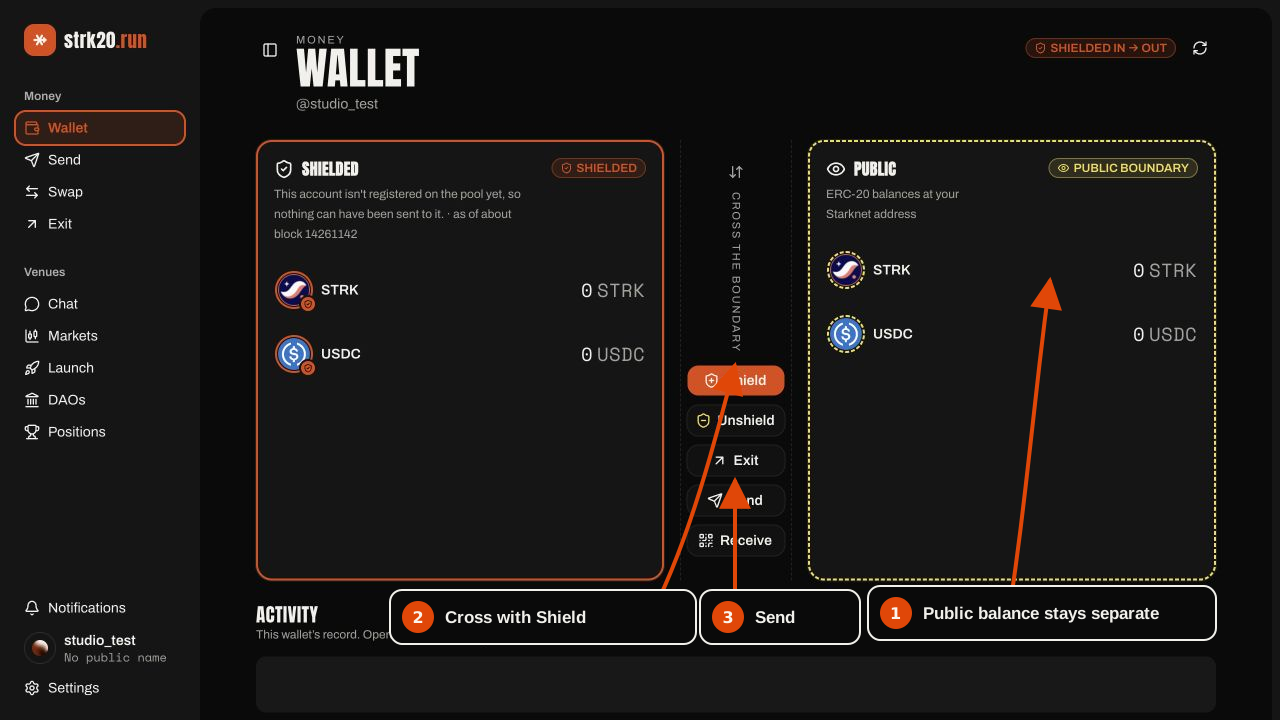
The wallet deliberately shows shielded pool notes and public ERC-20 balances in separate cards. They are never added together.
Check which side currently holds the asset
The right card is public value at the Starknet account. The left card is shielded value held as pool notes. Use Shield to move public value into the pool; use Send only when the shielded side has enough.
Shield public value
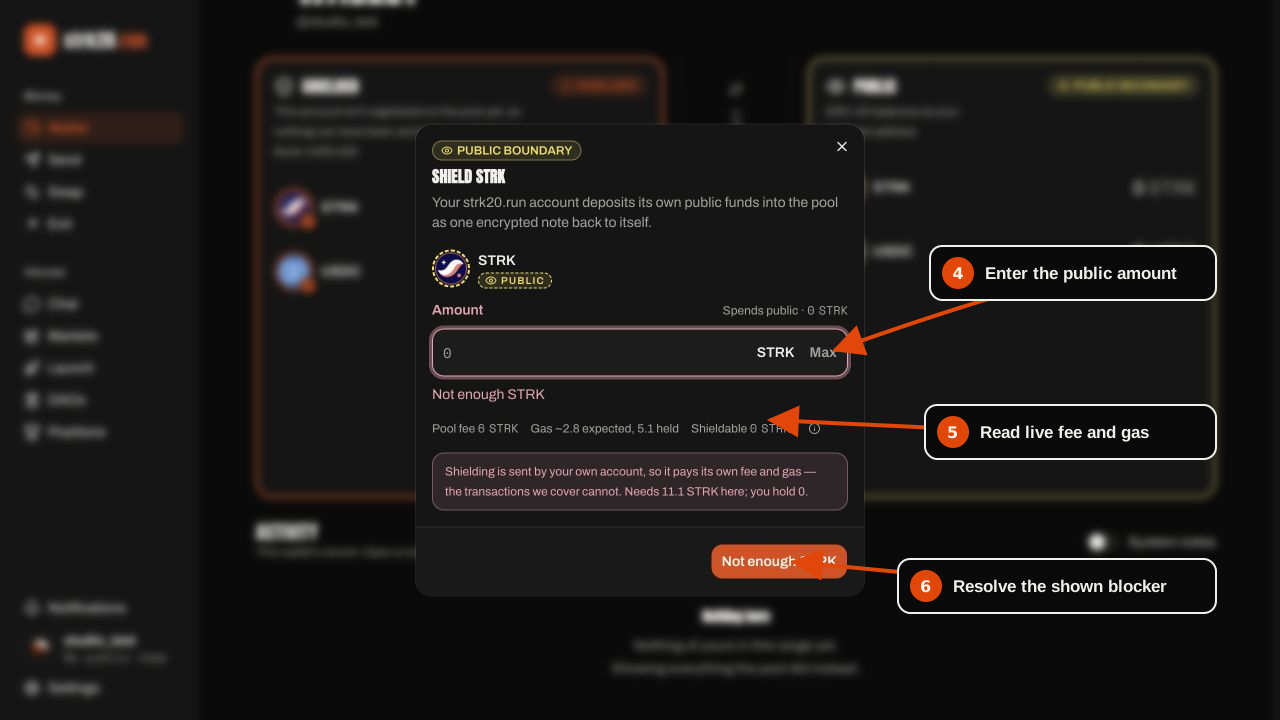
Press Shield, choose STRK or USDC, and enter the public amount. Read the live pool fee, gas hold and shieldable amount before continuing. Shielding is submitted by this account and pays from its public funds; sponsored pool transactions do not fund this deposit.
Prepare the send
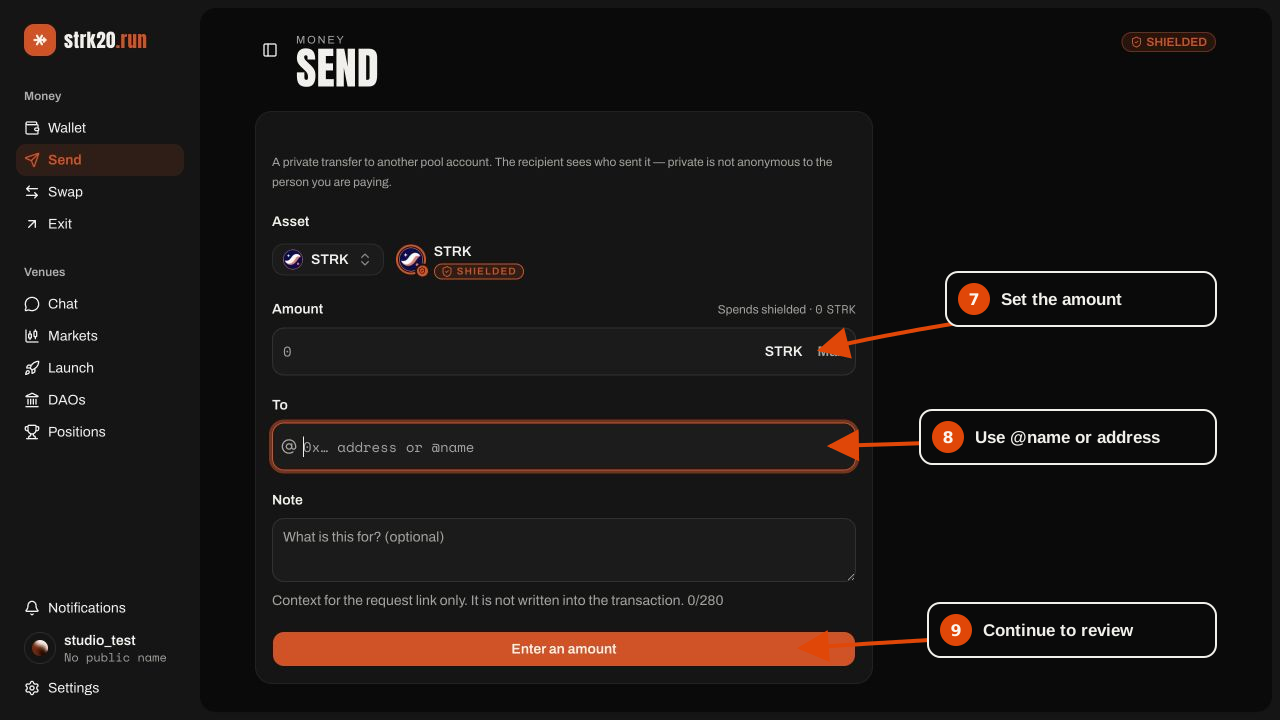
Open Send, choose the asset, enter the shielded amount, then use a claimed @name or a Starknet
address. The recipient must already be registered with the pool. The optional note is request
context; it is not written into the transaction.
Review, submit and keep the receipt
Read the disclosure and resolved recipient in the review surface. After submission, follow the visible pipeline through proof, signature, broadcast, pool acceptance and confirmation. If the app reports confirmation unknown, use the transaction hash to check before retrying; the first transaction may already have landed.