Send mail
Find a registered account and send it a shielded payment with a sealed note — one transaction, posted by the pool.
Mail needs two registered accounts: the memo is sealed for the channel the pool keeps between them. Register your own account first, then verify the resolved address before composing.
A Mail is a real pool transaction
The final Send mail button submits value, pays the live pool fee and gas, or consumes one covered transaction. If confirmation becomes unknown, check the hash before trying again because the first transaction may have landed.
Start a thread
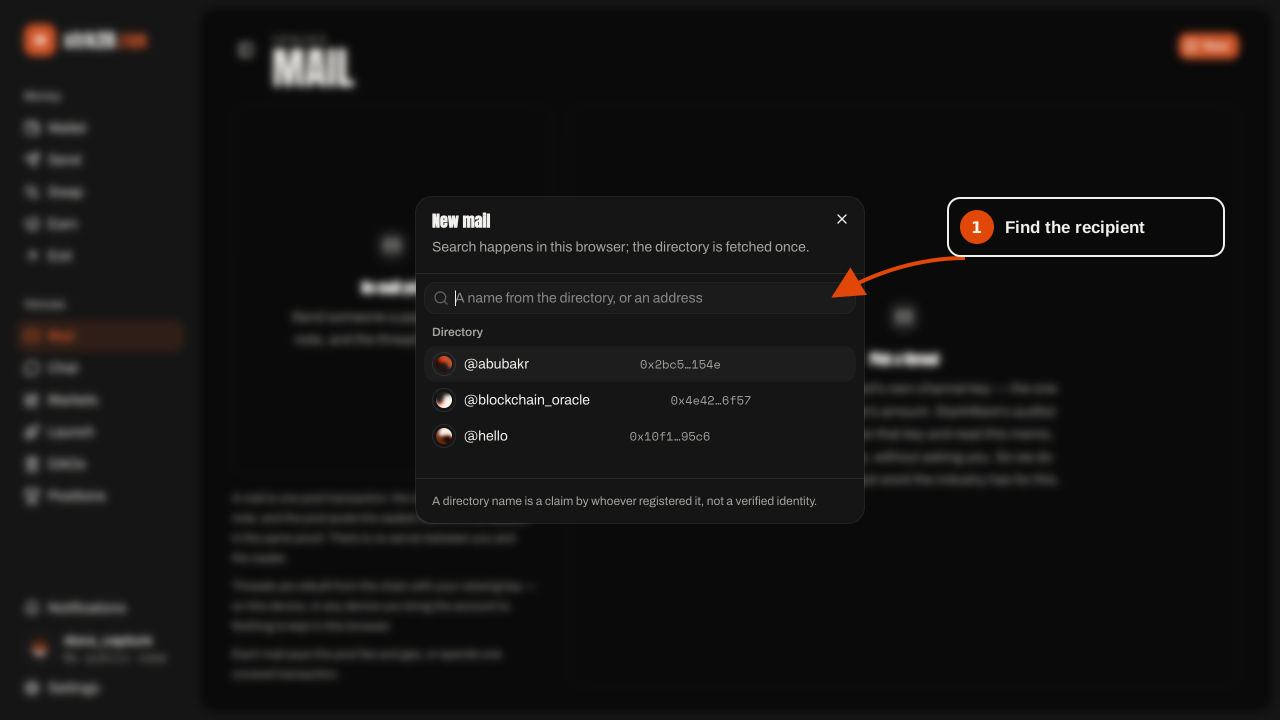
Open Mail at /mail, press New, then search a claimed name or paste a Starknet address. Name
search runs against a list fetched to the browser; the relayer never learns who you looked for.
A name is a label somebody claimed, so check the resolved address before relying on it.
Choose what the Mail carries
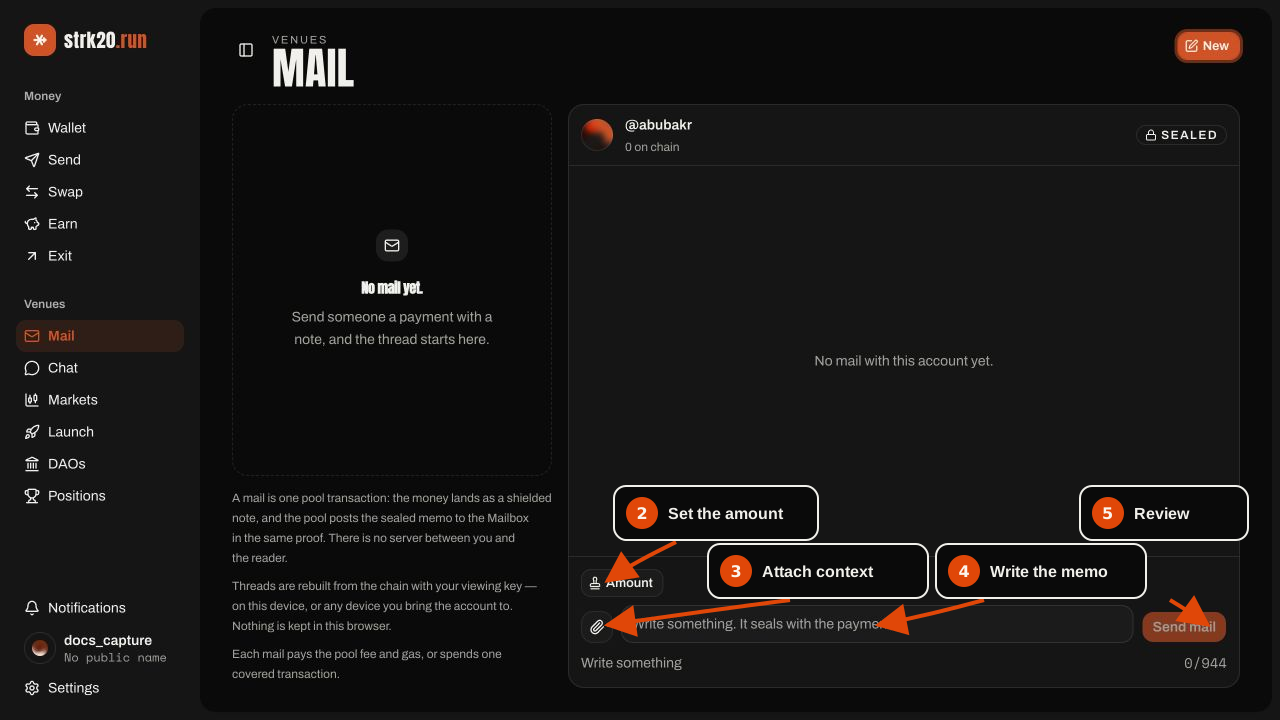
Write the message. Amount sets what the mail pays; leave it empty and it carries postage (0.01 of the token), which is the smallest note the reader can find it by. The paperclip attaches an ask for money, your voter handle, or a finished bet.
Review before anything is submitted
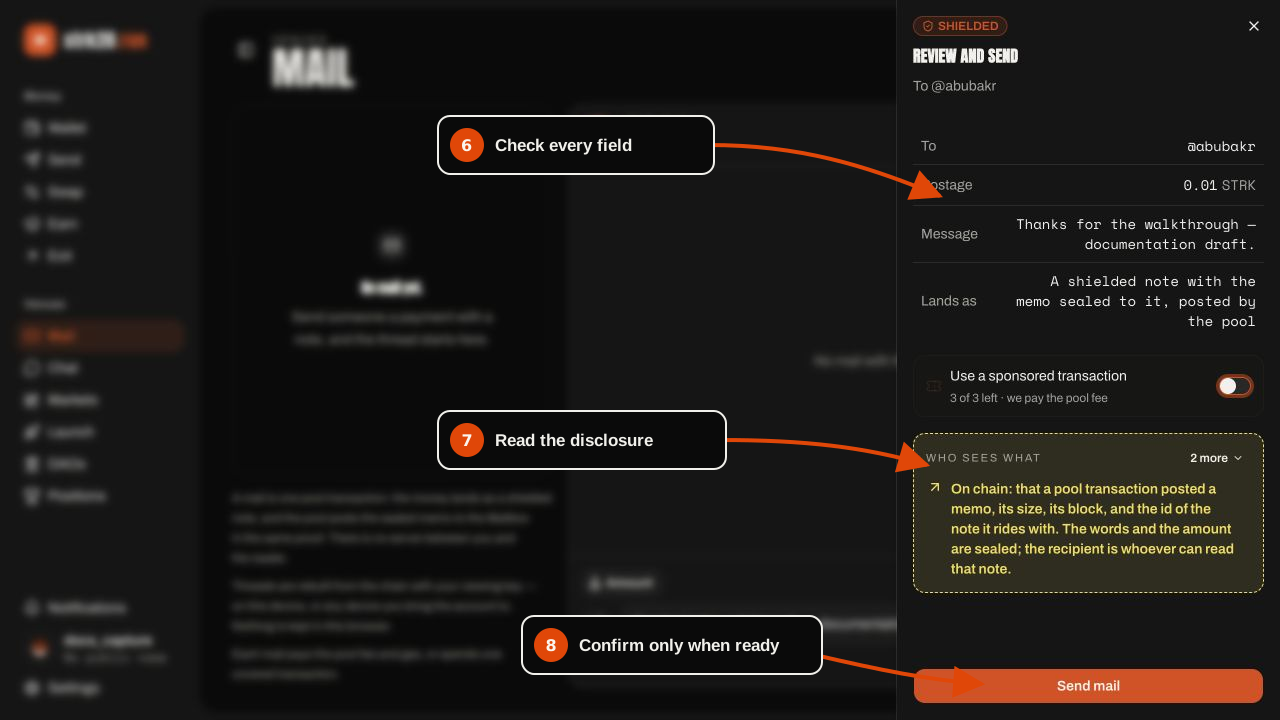
Send mail opens a review sheet. Check the resolved recipient, postage or payment amount, message, disclosure, and covered-transaction toggle. A covered transaction changes who submits and pays; it does not turn Mail into Chat or remove the on-chain Mailbox event.
Watch it land
The sheet shows the pipeline — build, prove, submit, confirm — and the thread shows the mail as pending until the pool has posted it. Once it lands, the row carries the transaction hash and the block, and On chain means this browser opened the memo against the note in that receipt. Nothing about it is stored here: reload, or open the account on another device, and the thread comes back from the chain.
For the full path, read how Mail works. For the transport and recovery differences, see Chat and Mail side by side.